EKS Audit Logs
Overview
EKS Audit Logs archives the Kubernetes control-plane audit log from the EKS cluster running your Onehouse data plane into your own S3 bucket, giving you a durable record of every API call made against the cluster — who called what, when, and with which result.
This is an infrastructure-level audit trail intended for security review and compliance evidence.
This page covers the EKS control-plane audit log — Kubernetes API activity in your data plane. For a record of user activity inside the Onehouse application, such as who created a Flow or changed a setting, see Audit Logs instead. The two are separate features with separate destinations.
EKS Audit Logs applies to data planes running on AWS. It is not available on GCP or Azure.
How it works
EKS control plane → Amazon CloudWatch Logs → export task → your S3 bucket (eks-audit-logs/)
EKS writes control-plane audit events to CloudWatch Logs. Onehouse runs a periodic export task that copies them into the eks-audit-logs/ prefix of your Onehouse customer bucket, in the same AWS account. Nothing leaves your account, and Onehouse does not receive a copy.
Enable EKS Audit Logs
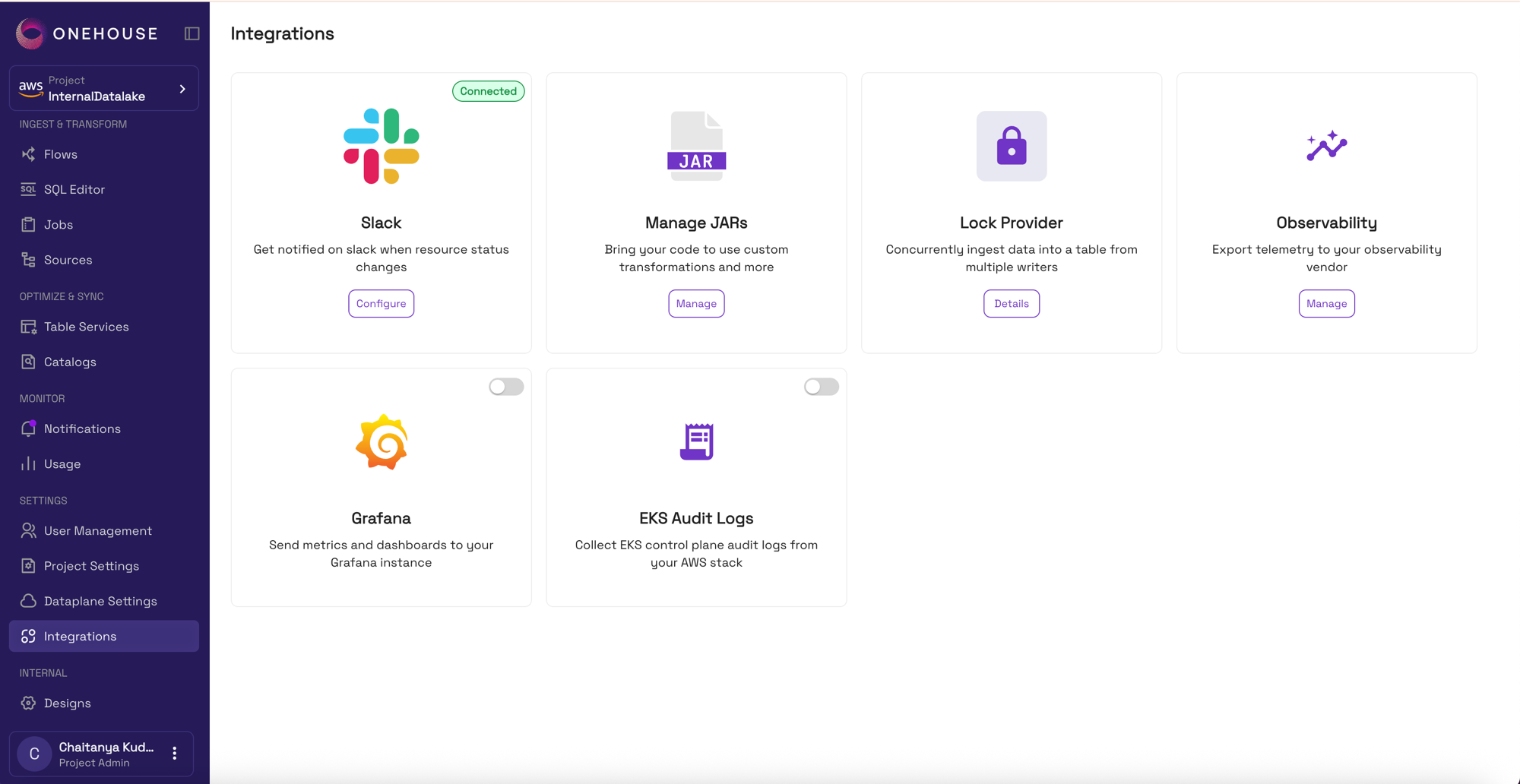
- In the Onehouse console, go to Settings ▸ Integrations.
- Find the EKS Audit Logs card.
- Switch the toggle on.
EKS Audit Logs requires permissions that are granted through your customer stack. If the toggle is unavailable or switching it on does not take effect, that grant is missing — contact Onehouse (or your account team) to have it applied.
Enabling the integration reconfigures the EKS cluster, so audit events begin appearing after the change is applied rather than immediately.
Where your logs land
Events are written to your Onehouse customer bucket:
s3://onehouse-customer-bucket-<id>/eks-audit-logs/
Because they sit in your own bucket, you can query them with Amazon Athena, feed them into your SIEM, or apply your own replication or Object Lock policies.
Retention
Objects under eks-audit-logs/ are expired 180 days after they are written, so storage cost stays bounded without any action on your part.
That window is longer than the 30 days applied to forwarded Spark logs, reflecting the compliance role of an audit trail.
The lifecycle policy on your customer bucket is managed by Onehouse, so editing its rules directly is not recommended — Onehouse's configuration takes precedence and overwrites manual changes on the next update. If your retention requirement is longer than 180 days, copy the objects to a bucket you manage, or contact Onehouse to discuss a longer window.
Cost
Enabling audit logging turns on CloudWatch Logs ingestion for the EKS control plane and adds S3 storage in your account. Both are billed by AWS directly to you, not through Onehouse. Volume scales with API activity against the cluster, so a busy data plane produces materially more than an idle one.
Troubleshooting
| Symptom | Likely cause |
|---|---|
| The toggle will not stay on | The IAM grant is missing. Contact Onehouse. |
No objects under eks-audit-logs/ | The export runs periodically rather than continuously — allow time after enabling. If it stays empty for hours, contact Onehouse. |
| Objects stop appearing after a while | Check that the bucket policy permitting the CloudWatch Logs export service still exists; a manual edit to the bucket policy can remove it. |
| Older objects have disappeared | Expected — the 180-day lifecycle rule. |
Limitations
- AWS only.
- Fixed destination — the
eks-audit-logs/prefix of your Onehouse customer bucket; a custom bucket or prefix is not configurable. - Fixed 180-day retention, managed by Onehouse.
- Control-plane events only — this is the Kubernetes API audit log, not Spark application logs. For those, see Spark Log Forwarding.